So you're building an LLM. Congrats! Now comes the hard part: figuring out how many GPUs you actually need.
Too few? Your training crawls. Too many? You're burning cash on idle silicon. Let's do the math and get this right.
The Quick Formula (For the Impatient)
Minimum GPUs needed:
GPUs = (Model Parameters × 4 bytes × 1.2) / GPU Memory
Training Time Estimate:
Days = (Tokens × Parameters × 6) / (GPUs × TFLOPS × 86400 × Efficiency)
Where efficiency is ~0.3-0.5 for real workloads.
Example: Llama 3 70B on 1T tokens
- Minimum GPUs: (70B × 4 × 1.2) / 80GB = 4.2 GPUs → Use 8
- Training time: (1T × 70B × 6) / (8 × 989 × 86400 × 0.4) = 152 days
Scared yet? Let's optimize this.
Step 1: Calculate Model Memory Requirements
Base Model Size
Your model's memory footprint in mixed-precision training:
| Component | Memory Formula |
|---|---|
| Model weights | Parameters × 4 bytes (FP32) |
| Gradients | Parameters × 4 bytes |
| Optimizer states (Adam) | Parameters × 8 bytes |
| Total per GPU | Parameters × 16 bytes |
Example - Llama 3 70B:
- 70B parameters × 16 bytes = 1,120 GB
- With H100 80GB: Need 14 GPUs minimum
Add Overhead (20-30%)
Real training needs:
- Activation memory (depends on batch size)
- Communication buffers (for multi-GPU)
- Framework overhead (PyTorch/JAX)
Rule of thumb: Add 20-30% to your calculation.
Llama 3 70B adjusted: 1,120 GB × 1.25 = 1,400 GB → 18 GPUs (H100 80GB)
Step 2: Choose Your Parallelism Strategy
Data Parallelism (DP)
- Same model on every GPU
- Different batch on each GPU
- When to use: Model fits in 1 GPU
- Scaling: Linear up to 8-16 GPUs
Tensor Parallelism (TP)
- Split model layers across GPUs
- High bandwidth required (NVLink)
- When to use: Model doesn't fit in 1 GPU
- Scaling: 2-8 GPUs max (communication bottleneck)
Pipeline Parallelism (PP)
- Split model vertically (layers → GPUs)
- Less communication than TP
- When to use: Very large models
- Scaling: 8-64 GPUs
FSDP (Fully Sharded Data Parallel)
- Meta's secret sauce for Llama
- Shards model, gradients, optimizer across GPUs
- When to use: Modern default for LLM training
- Scaling: 64-512+ GPUs
Llama 3 70B optimal config:
- FSDP across 16 GPUs
- TP=1, PP=1, DP=16
- Batch size = 4M tokens (256 micro-batches)
Step 3: Calculate Training Time
The Formula (Simplified)
Training Time = 6 × Parameters × Tokens / (GPUs × TFLOPS × Efficiency)
Where:
- 6 = FLOPs per parameter per token (forward + backward)
- TFLOPS = Your GPU's performance (H100 = 989 TFLOPS FP16)
- Efficiency = 0.3-0.5 for real workloads (communication, CPU, I/O)
Real Examples
GPT-3 175B on 300B tokens:
- H100 config: 128 GPUs
- Training time: (6 × 175B × 300B) / (128 × 989 × 0.4) ≈ 77 days
- Cost at $2/hr/GPU: 128 × 77 × 24 × $2 = $475,584
Llama 2 7B on 2T tokens:
- H100 config: 8 GPUs
- Training time: (6 × 7B × 2T) / (8 × 989 × 0.45) ≈ 23 days
- Cost: 8 × 23 × 24 × $2 = $8,832
Mistral 7B on 1T tokens (efficient):
- H100 config: 8 GPUs
- Training time: ~12 days (with optimizations)
- Cost: ~$4,600
Step 4: Size Your Network
Intra-Node (NVLink/NVSwitch)
For GPUs in the same server:
- NVLink 4.0: 900 GB/s per GPU (H100/H200)
- Required for: Tensor Parallelism
- Rule: TP within a single 8-GPU node
Inter-Node (InfiniBand/RoCE)
For multi-server clusters:
- 400GbE: $3K/port → Good for <64 GPUs
- InfiniBand NDR: $8K/port → Best for 64-512 GPUs
- RoCE v2: $2K/port → Budget option
Llama 3 70B @ 16 GPUs:
- 2x 8-GPU servers
- NVLink within each node
- 400GbE between nodes
- Bandwidth: 50 GB/s inter-node (sufficient)
GPT-4 @ 512 GPUs:
- 64x 8-GPU servers
- InfiniBand NDR mesh
- Bandwidth: 400 GB/s inter-node
- Cost: ~$500K for networking alone
Step 5: Storage & Data Pipeline
Training Data Storage
| Model Size | Dataset Size | Storage Type | Bandwidth Needed |
|---|---|---|---|
| 7B | 2TB | NVMe | 10 GB/s |
| 70B | 5TB | NVMe | 25 GB/s |
| 175B | 10TB | Parallel FS | 50 GB/s |
Don't bottleneck on I/O. A $500K GPU cluster waiting on a $5K SSD is tragedy.
Recommended:
- <16 GPUs: 8x NVMe in RAID 0 (60 GB/s)
- 16-64 GPUs: Parallel filesystem (WekaFS, BeeGFS)
- 64+ GPUs: Dedicated storage cluster (Weka, Vast, DDN)
Checkpointing
Save model state every N hours:
- 7B model: ~28 GB checkpoint
- 70B model: ~280 GB checkpoint
- 175B model: ~700 GB checkpoint
Bandwidth: 10-20 GB/s to persistent storage
Step 6: Power & Cooling Budget
Power Requirements
| Server Config | Idle | Training | Peak |
|---|---|---|---|
| 8x H100 PCIe | 2kW | 3.5kW | 4kW |
| 8x H100 SXM | 3kW | 6.5kW | 7kW |
| 8x H200 SXM | 3kW | 6.5kW | 7kW |
| 8x B200 | 4kW | 9kW | 10kW |
64 GPU cluster (8 servers):
- H100 SXM: 8 × 6.5kW = 52kW
- Add networking, storage, cooling: 70kW total
- Monthly power cost @ $0.10/kWh: $5,040
Cooling
- Air cooling: Up to 5kW/server
- Liquid cooling: Required for >5kW/server
- Cost: $50K-$200K for liquid cooling infrastructure
Real-World Cluster Configurations
Startup Config: 8x H100 PCIe
Use case: Llama 2 7B finetuning, small experiments
- GPUs: 8x H100 80GB PCIe
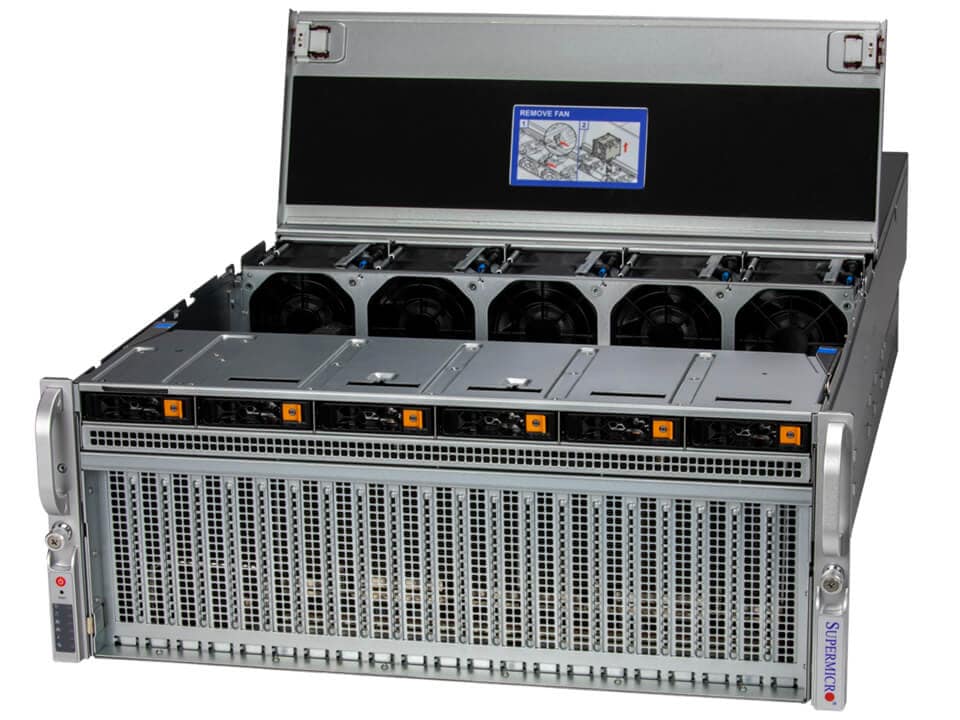
- Server: 2x 4U Supermicro
- Networking: 100GbE
- Storage: 32TB NVMe
- Cost: $280K
- Power: 8kW
Mid-Size: 32x H100 SXM
Use case: Llama 3 70B training, multi-project lab
- GPUs: 32x H100 80GB SXM
- Servers: 4x 8-GPU HGX
- Networking: 400GbE
- Storage: Weka 100TB
- Cost: $1.2M
- Power: 30kW
Enterprise: 256x H200 SXM
Use case: GPT-4 scale training, foundation model development
- GPUs: 256x H200 141GB SXM
- Servers: 32x 8-GPU HGX
- Networking: InfiniBand NDR
- Storage: Weka 1PB
- Cost: $12M
- Power: 250kW
The Honest Sizing Guide
For Finetuning (<10B models):
- 4-8 GPUs (H100 PCIe or RTX 6000)
- Budget: $150K-$300K
- Training time: Days to weeks
For Training Small Models (7-13B):
- 8-16 GPUs (H100 SXM)
- Budget: $350K-$700K
- Training time: 2-4 weeks
For Training Large Models (70B):
- 16-64 GPUs (H100/H200 SXM)
- Budget: $1M-$3M
- Training time: 1-3 months
For Foundation Models (175B+):
- 128-512 GPUs (H200/B200 SXM)
- Budget: $8M-$30M
- Training time: 3-6 months
Don't Make These Mistakes
1. Undersizing Memory → Your 70B model doesn't fit in 8 GPUs. Now you need 16. Oops.
2. Ignoring Networking → 400GbE between 64 GPUs? Enjoy 40% utilization.
3. Cheap Storage → Your $10M GPU cluster is bottlenecked by a $10K NAS.
4. No Redundancy → One GPU dies. Training stops for 2 weeks while you wait for RMA.
5. Wrong GPU Choice → Bought H100 PCIe for multi-GPU training. NVLink would've been 2x faster.
Need Help Sizing Your Cluster?
We've designed GPU clusters from 4 to 512 GPUs. We know the mistakes because we've made them.
Open a quote for a sizing consultation. We'll run your workload analysis and quote a custom configuration.
Request Quote | View GPU Catalog
Related Reading
- Best GPU for Machine Learning 2026 - Complete hardware buying guide
- H100 vs A100 Comparison - Choose between NVIDIA's flagship GPUs
- QLoRA vs LoRA Fine-Tuning Guide - Reduce GPU requirements with parameter-efficient methods
- Datacenter GPU Procurement Checklist - Everything you need before ordering